
IntelliPERMIT Mobile
Stay safe at the work site
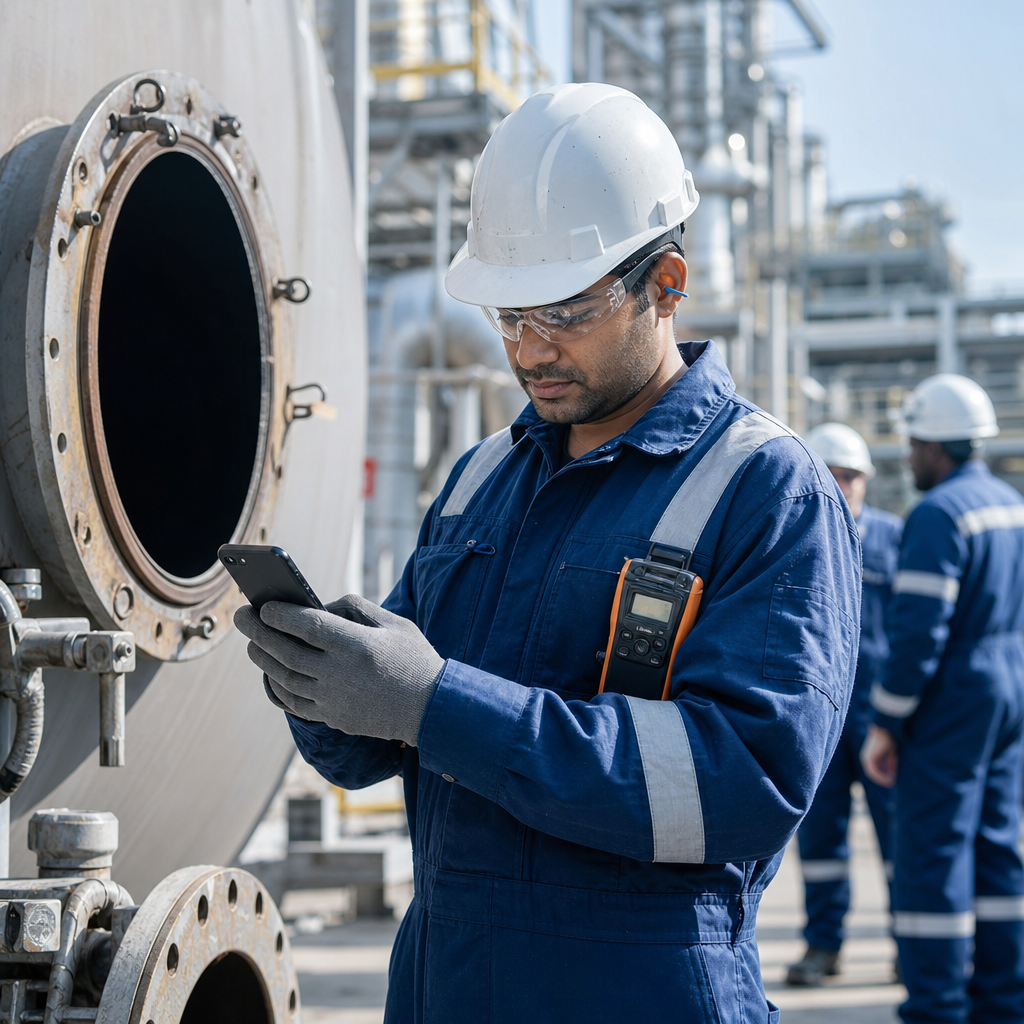
Give field teams live permit, isolation and risk information on the device in their hand — so work starts on what is true right now, not on a permit written hours ago.
The problem
Permits are written in the office. The work happens at the face.
Control of work breaks down in the gap between the permit office and the job. The people closest to the risk are usually the ones with the least visibility.
Conditions change after the permit is issued
Hazards and local factors appear at the work face that nobody could account for when the permit was prepared and approved.
Crews cannot see live status
Confirming a permit, a related permit or an isolation means walking back to the permit office or calling the control room.
Risk assessments lose their integrity
A JRA completed away from the job, or written up afterwards, does not reflect what the team was actually standing in front of.
The solution
Put control of work in the crew’s hands
IntelliPERMIT Mobile is the companion app to IntelliPERMIT. It extends safety, isolation and risk management out to teams in the field, adds checks that protect the integrity of the process when working remotely, and captures every action against the permanent electronic record.
Safety management
Check permits and related permits in real time, with the hazards, preventative measures and precautions that apply — including required PPE.
Isolation management
Verify isolations, locks and key safe information in real time, without leaving the job to confirm them.
Risk management
Complete a Job Risk Assessment on site, where the risk actually is, and link it to the related work orders and permits.
It works alongside your permit office or control room, not instead of it. Permit requests, creation and the approvals that belong in the permit office stay in the main IntelliPERMIT application. The app handles what genuinely needs to happen in the field.
Features
What your team can do in the field
Everything below happens on the device, at the job, without a trip back to the permit office.
- Check the status of permits and related permits in real time
- See the hazards, preventative measures and precautions that apply, including required PPE
- Check isolations, locks and key safe information in real time
- Authorise permit transactions in line with your company’s business rules
- Complete an on-site Job Risk Assessment (JRA)
- Record comments and observations straight into the permanent electronic record
Benefits
What changes on site
Safer work all round
Teams act on what is actually in front of them, not on information prepared hours earlier.
Tighter control room to field communication
Status flows both ways without a walk back to the office or a radio call.
Risk assessments with real integrity
JRAs are completed at the job, on a device that records who signed, where and when.
More productive work teams
Less waiting on confirmations means normal production is restored more quickly and safely.
Better safety decisions
Live permit and isolation status replaces assumption and memory.
Faster diagnostics and corrective action
A complete field record makes it clear what happened and what needs to change.
Works on iOS, Android and Windows mobile devices
Including industrial-grade devices certified for use in hazardous areas, where cell phones are not permitted. Talk to the IntelliPERMIT team about which devices are supported — the list is added to regularly.
Hear What Our Customers Have To Say
FAQs
Is the IntelliPERMIT mobile device suited for use in hazardous areas?
In certain industries like oil and gas, the risk of explosion requires the use of intrinsically safe devices in the field. This means that cell phones are not permitted. In this situation there are industrial-grade devices that are certified for hazardous areas and these can be used. These devices will generally work with the Windows version of IntelliPERMIT mobile. It is recommended you contact the specialists at Adapt IT who can advise on which devices will be compatible.
Is the IntelliPERMIT mobile application capable of creating, approving or issuing a permit in the field?
IntelliPERMIT mobile needs to work in conjunction with the main IntelliPERMIT application in the control room (or permit office for example). The mobile application only handles specific functions that are relevant in the field, such as inspecting the status of the permit, signing off specific permit stages and confirming isolations. Permit requests, creation, certain approvals and so on are managed by the main application.
Will we need to install wi-fi throughout the plant?
IntelliPERMIT Mobile works through the internet which can be accessed through an industrial wi-fi connection, or through the public cellular network service. It will depend on coverage on your specific plant. In certain situations such as underground mining, the public cellular service will not reach certain sections and wi-fi will be needed.
What happens if there is no connection?
IntelliPERMIT Mobile will continue to work with the most recent data when the network connection is interrupted. However because this can introduce inconsistencies resulting in unsafe conditions, it is not advised to use the application where there is no signal for extended periods. When the device sees a signal again it will synchronise changes to the main IntelliPERMIT server.
How are transactions authorised on a mobile device?
Transactions are signed electronically on the device in different ways depending on the capabilities of the device itself. For example if the device supports a fingerprint scan, this can be used to sign off a transaction. Alternatively the use of a PIN lock code is possible or a password. The system will record the device ID, the signature, the time stamp and other details relating to the transaction, making it a relatively reliable mechanism for validating users in the field.
Does IntelliPERMIT Mobile electronically link through to work order information?
Yes. For example JRA’s can be electronically linked to any related work orders and permits making this information available to teams in the field. Work orders typically originate from work requests or schedules in an external planned maintenance system.
Do you need the mobile app to do Job Risk Assessments?
The Job Risk Assessment functionality has been specifically designed for mobile devices in the field where the risk assessment is normally done. It is possible using a Windows 10 laptop or desktop computer to perform a JRA as well should this be required. We recommend customers check with the IntelliPERMIT team at Adapt IT as to what mobile devices and computer platforms are supported as these are being added to all the time.
See IntelliPERMIT Mobile on your site
Schedule a demo with the IntelliPERMIT team and we will show you how the app fits your permit process, your plant and your devices.